
EPIK EC PROFILER
Perfilador ICC para escáner y cámara a partir de cartas de color


La aplicación permite el cambio de idioma de uso sin reiniciar.
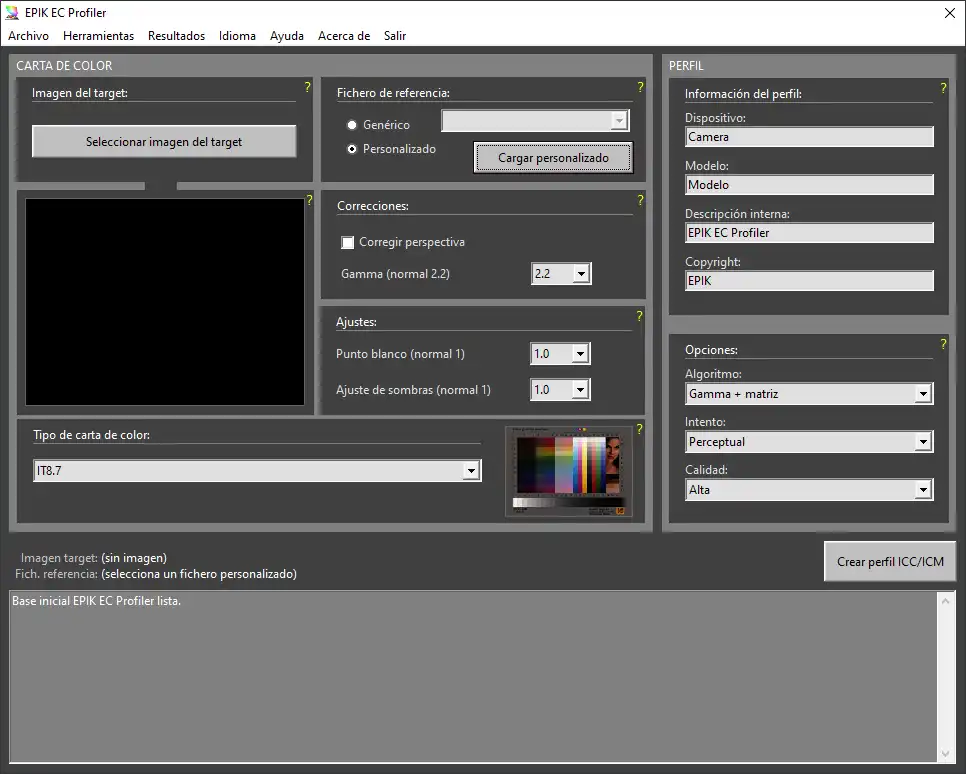
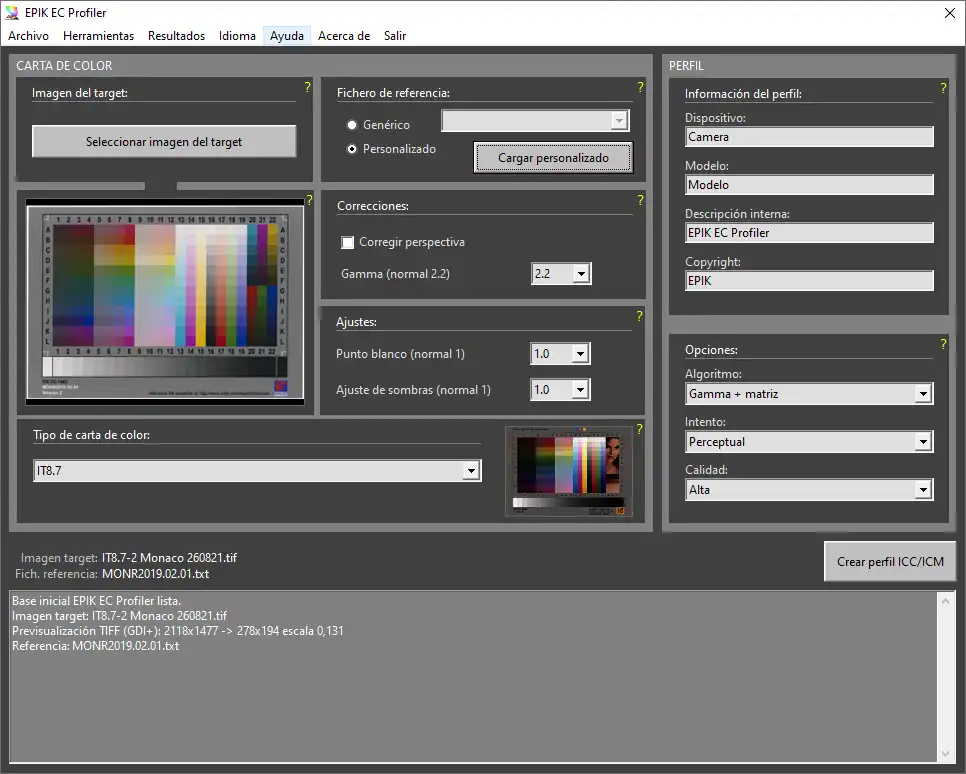
Aplicación de perfilado ICC para crear, comprobar e interpretar perfiles de escáner y cámara a partir de cartas de color.
Qué es EPIK EC Profiler
Herramienta de escritorio para generar perfiles ICC de escáner y cámara usando una imagen de carta de color y su fichero de referencia. El programa compara lo que el dispositivo capturó con los valores correctos de cada parche y construye el perfil a partir de esa diferencia.
Incluye control visual de la carta, reconocimiento de cuadrícula, creación de perfil con ArgyllCMS y verificación estadística posterior mediante Delta E y componentes LCH.
Funciones principales
| Área | Qué permite hacer |
|---|---|
| Carga de carta | Abrir la imagen real que se utilizará para perfilar. |
| Referencia | Trabajar con referencia genérica o con fichero personalizado del fabricante. |
| Correcciones y ajustes | Aplicar perspectiva, gamma, punto blanco y ajuste de sombras cuando el flujo lo requiera. |
| Reconocimiento de cuadrícula | Comprobar visualmente si los parches se están detectando donde corresponde. |
| Creación de perfil ICC | Generar perfiles mediante distintos algoritmos y calidades. |
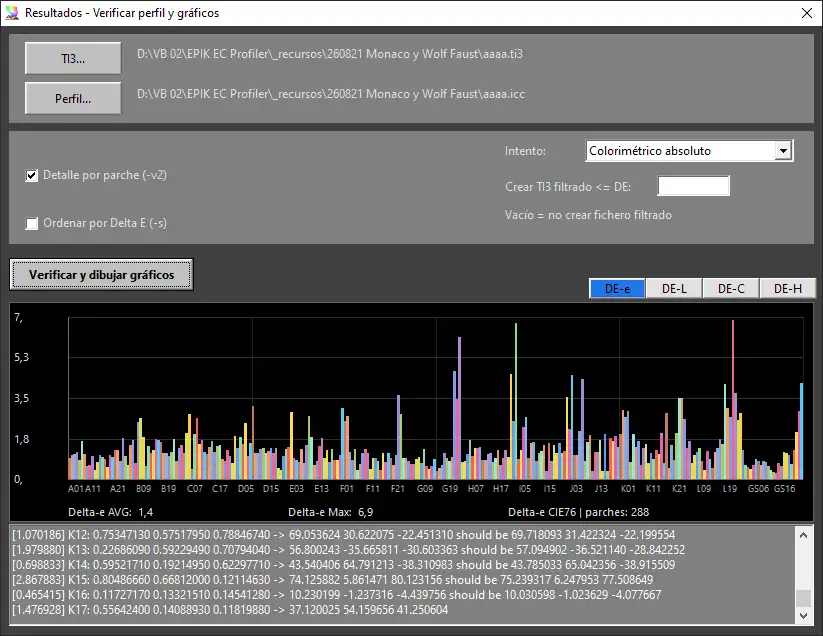
| Verificación | Analizar el perfil con gráficos DE-e, DE-L, DE-C y DE-H. |
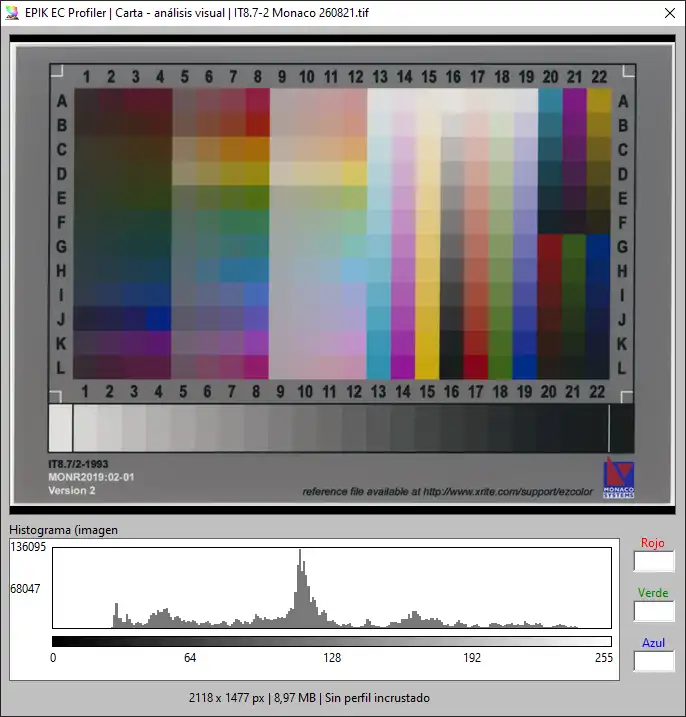
| Análisis visual | Ver la carta ampliada, su histograma y los valores de color bajo el cursor. |
Pantalla principal
| Sección | Función |
|---|---|
| Imagen de carta | Carga la captura que se va a usar para perfilar. |
| Comprobación visual | Permite revisar rápidamente orientación, recorte y nitidez. |
| Fichero de referencia | Selecciona la referencia genérica o personalizada. |
| Tipo de carta | Indica qué geometría y familia de carta debe reconocer el programa. |
| Perfil ICC | Define dispositivo, modelo, descripción y copyright. |
| Opciones | Elige algoritmo, intento y calidad de generación. |
Flujo recomendado
- Cargar la imagen de la carta.
- Seleccionar el tipo de carta correcto.
- Confirmar o cargar el fichero de referencia adecuado.
- Revisar la previsualización y, si hace falta, el reconocimiento de cuadrícula.
- Definir los datos del perfil y sus opciones.
- Crear el perfil ICC.
- Verificar el resultado y estudiar los gráficos de error.
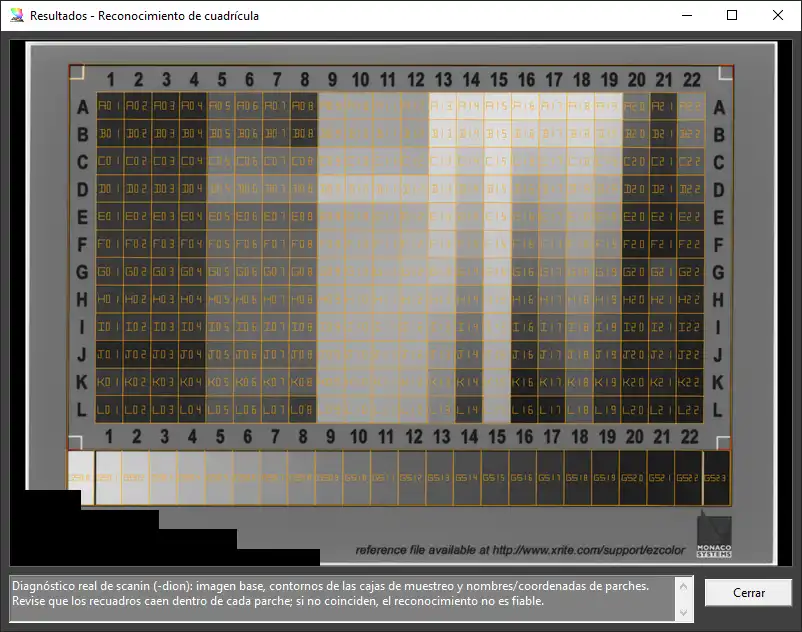
Análisis visual y resultados
La vista de análisis visual permite inspeccionar la carta con más detalle antes de perfilar. Muestra la imagen ampliada, el histograma completo y un cuentagotas que informa del color bajo el cursor.
Después de crear el perfil, la verificación estadística ayuda a detectar si el problema está en el error total, la luminosidad, el croma o el tono. También sirve para dejar documentado el reconocimiento de la carta y los archivos auxiliares generados.
Cartas soportadas
El programa trabaja con cartas con referencia genérica y con cartas que requieren fichero personalizado. Entre las familias soportadas se encuentran CMP Digital Target, Datacolor SpyderChecker, X-Rite ColorChecker, QPcard, IT8.7, IT8.7 Wolf Faust, HutchColor HCT, LaserSoft DCPro e ISO12641-2.
Cuando existe un fichero específico del fabricante para la carta usada, normalmente es la mejor opción para obtener un perfil más fiel.
EPIK EC PROFILER
ICC profiler for scanner and camera from color charts
The application lets you change the working language without restarting.
Desktop ICC profiling tool to create, verify, and interpret scanner and camera profiles from color charts.
What EPIK EC Profiler does
Desktop application to build ICC profiles for scanner and camera from a chart image and its matching reference file. The program compares what the device captured with the correct value of each patch and creates the profile from that difference.
It includes visual chart inspection, grid recognition, ICC creation through ArgyllCMS, and post-verification with Delta E and LCH components.
Main features
| Area | What it allows |
|---|---|
| Chart loading | Open the real chart image that will be used for profiling. |
| Reference handling | Work with a generic reference or with a custom manufacturer file. |
| Corrections and adjustments | Apply perspective, gamma, white point, and shadow tuning when the workflow requires it. |
| Grid recognition | Visually check whether the patches are being detected in the correct positions. |
| ICC profile creation | Generate profiles with different algorithms and quality settings. |
| Verification | Analyze the profile with DE-e, DE-L, DE-C, and DE-H graphs. |
| Visual analysis | Inspect the chart enlarged, with histogram and live color readout under the cursor. |
Main screen
| Section | Function |
|---|---|
| Chart image | Loads the capture that will be used for profiling. |
| Visual check | Lets you quickly review orientation, crop, and sharpness. |
| Reference file | Selects the generic or custom reference. |
| Chart type | Tells the program which chart geometry and family it must recognize. |
| ICC profile | Defines device, model, description, and copyright. |
| Options | Chooses algorithm, rendering intent, and generation quality. |
Recommended workflow
- Load the chart image.
- Select the correct chart type.
- Confirm or load the correct reference file.
- Review the preview and, if needed, the grid recognition.
- Set the profile metadata and options.
- Create the ICC profile.
- Verify the result and study the error graphs.
Visual analysis and results
The visual-analysis view lets you inspect the chart in more detail before profiling. It shows the enlarged image, the full histogram, and a color picker that reports the color under the cursor.
After the profile is created, statistical verification helps reveal whether the problem is in total error, lightness, chroma, or hue. It also helps document chart recognition and the generated auxiliary files.
Supported charts
The program works with both generic-reference charts and charts that require a custom reference file. Supported families include CMP Digital Target, Datacolor SpyderChecker, X-Rite ColorChecker, QPcard, IT8.7, IT8.7 Wolf Faust, HutchColor HCT, LaserSoft DCPro, and ISO12641-2.
Whenever a manufacturer-specific file exists for the chart you used, it is usually the best choice for a more faithful profile.
ICC profiler for scanner and camera. Spanish, English, French and Italian. Windows installer (.EXE)